Quick Guide for Setting Up a closed connection in Vercel
Set up a new environment in Dato
Go to your peoject in Dato
- Click on Environment (top left corner)
- Click on
manage environments - Click the three dots icon next to
main - Click on fork
- Name your fork depending on what its purpose is. For example:
designer-review
Connect Vercel
Go to your project in Vercel
- Click settings
- Click environment variables
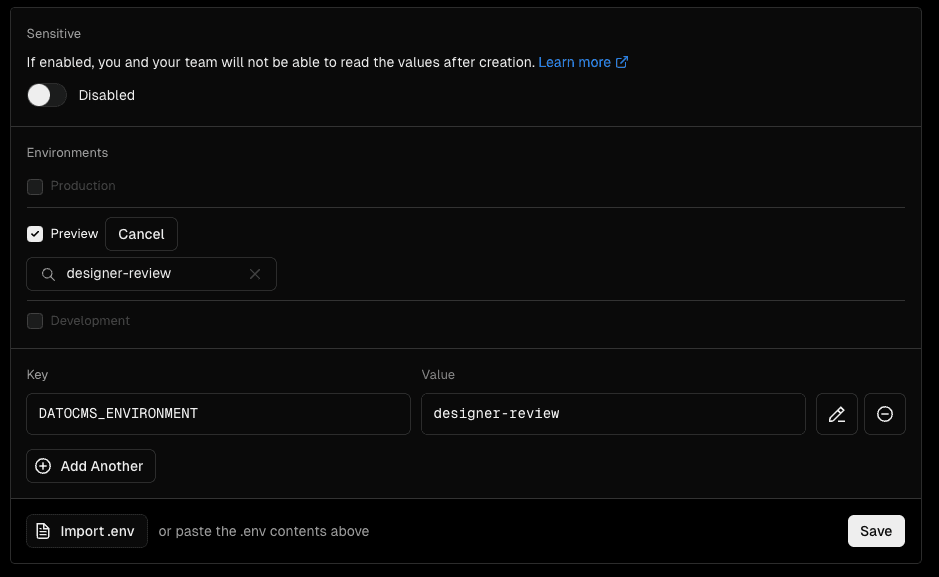
Settings:
- Production should be OFF
- Preview should be ON, change to a branch that you want to connect
- Development should be OFF
- Key should be
DATOCMS_ENVIRONMENT - Value should be the same as #5 in Set up a new environment in Dato
- Click on save