External Services
This document describes how inject external services into the application. The main outline is to add a GTM script in DatoCMS under “Site Settings” -> “External Services”, then the rest is managed inside GTM.
Pre-requisites
1. Create CookieYes site
-
Navigate to CookieYes
- login details for the shared account can be found in 1Password.
-
Set the “Site URL” to the production URL of the site you’re working on.
-
Set an appropriate “Site Name”.
-
Pick the plan fitting this site, most likely “Basic”
-
Go through with payment.
-
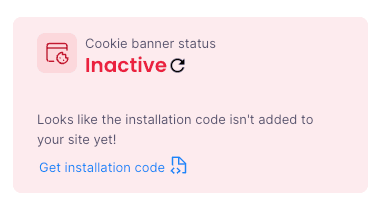
Click “Get installation code”
-
Copy the website key from the
srcattribute. (e.gsrc="https://cdn-cookieyes.com/client_data/{WEBSITE_KEY}/script.js") -
Make sure that the scan has been done correctly. The scan must be done after the page has been properly deployed to production.
-
Make sure
cookieyes-consentis added under Necessary.
2. Add CookieYes to GTM
-
Add a new Tag
-
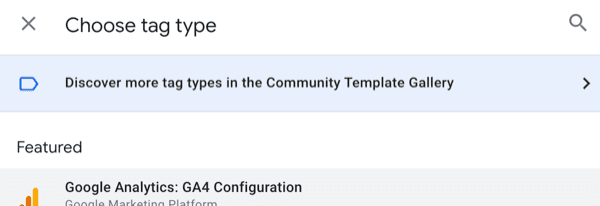
Choose tag type
-
Click “Discover more tag types in the Community Template Gallery”
-
Search for CookieYes
-
Paste the website key in the “Website Key” field
-
Add a trigger
-
Pick “Consent Initialization”
3. Verify installation in GTM preview
4. Add CookieYes preference link to page
- Most likely this will be in the footer
- Go to footer/index.tsx
- Add the following code snippet to the footer:
// For example
<button class="cky-banner-element">Change Cookie Preferences</button>
// OR
<a href="#" class="cky-banner-element">Change Cookie Preferences</a>
// Any interactive element works
5. Add Cookie Policy page
- Generate a policy page in CookieYes, unless it’s already been done.
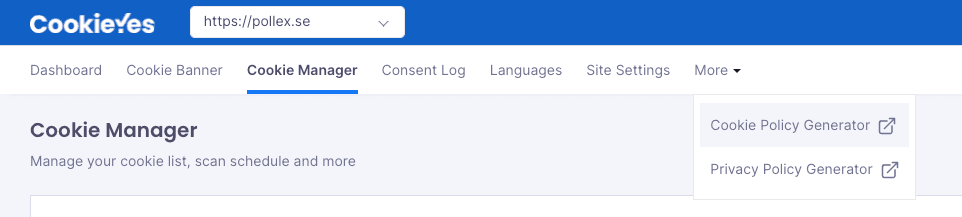
- Copy the generated HTML
- (Optional) The generated HTML will always be in English. Translate the HTML to the desired language.
- Put the HTML on the page, for now this is done by adding it to the Next-frontend project.
- Add a link to the policy page in the footer.
- Add the cookie policy URL to CookieYes, here
6. (Optionally) Translate CookieYes content
If the site is built for another language, make sure that language is both added and set as default. This is done here.
Done
More reading